
diados
Extension of the Day

diados

5.0 FREE
  • Screenshot 1

Description

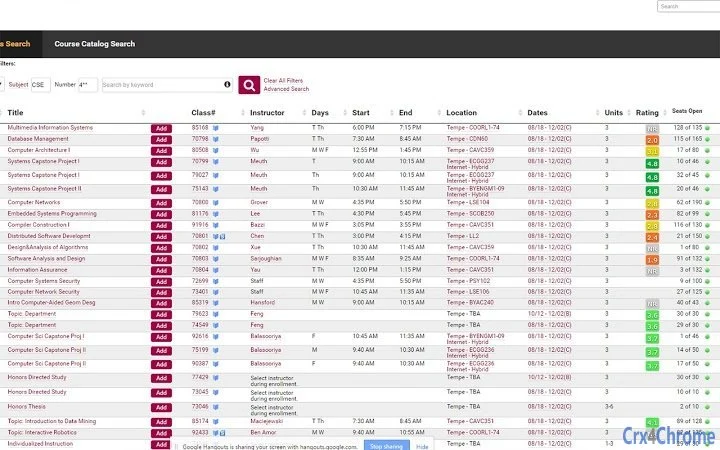
When searching for courses on ASU's course catalog, Rate My Professors's Overall Rating will be shown next to each instructor. Mousing over the rating will show more detailed ratings as well as reviews. Clicking the popup or Overall Rating will open that professor's page on Rate My Professors in a new tab.Autorun can be disabled so that ratings are only shown when the ASU Professor Ratings icon is clicked. This option and others can be accessed by going to the options menu of the extension by right clicking on the icon and selecting Options. The options can also be accessed through the chrome extensions page (chrome://extensions).

Guides & Tutorials for ASU Professor Ratings Extension for Chrome

How to install ASU Professor Ratings Extension for Chrome
  1. Click the Preview / Download button above.
  2. Once redirected, accept the terms and click Install.
  3. Wait for the ASU Professor Ratings Extension for Chrome download to finish on your device.
How to use ASU Professor Ratings Extension for Chrome

This software is primarily used for its core features described above. Open the app after installation to explore its capabilities.

User Reviews for ASU Professor Ratings Extension for Chrome 0

    No reviews found

Similar Apps


